
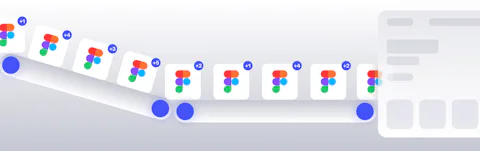
In twenty years of designing digital products, I’ve seen the same pattern repeat. A project launches with a pristine Figma file, only to slowly decay into a fragmented mess of "one-off" CSS overrides and hard-coded hex values. We call this Design Drift, and in 2026, it is the single greatest drain on digital ROI.
Most agencies treat a design system as a static document: a beautiful PDF or a shared Figma library that sits on a shelf. At Honcho, we believe that if a design system isn't executable code, it isn't a system; it is just a drawing.
This guide is a strategic blueprint for CTOs, Product Owners, and Lead Developers who are tired of the "Maintenance Tax." We are moving beyond the manual handover and into the era of Living Infrastructure: a workflow where your Figma variables, W3C Design Tokens, and Craft CMS production environment exist in a state of automated, pixel-perfect synchronisation.
Why Static Design Systems Fail: The Financial Ghost
The project kicks off with a breathtaking Figma file: a masterpiece of 4th-generation Auto Layout, meticulously curated colour scales, and typography that sings in perfect harmony. This is your "Single Source of Truth."
Then, reality hits.
Six months post-launch, the live site looks like a dishevelled cousin of the original design. Because the bridge between Figma and the code is built on human interpretation, every update introduces a margin of error. A developer, under pressure, bypasses a variable to hit a deadline. A content editor requests a landing page that needs to look a bit different, and a rogue CSS override is born. These manual processes are time-consuming and prone to error.
This isn't just a design problem. It is technical debt.
- The Maintenance Tax: Every manual update requires a developer to find, change, and QA code that should have been automated.
- The Governance Gap: Without an automated enforcer, consistency is at the mercy of whoever is having a good day.
- The Accessibility Risk: When design systems drift, WCAG 2.2 compliance is usually the first casualty.
At Honcho, we have decided that "Interpretation" is a bug, not a feature. We don’t build websites that refer to a design system; we build Living Infrastructure. By bridging the gap between Figma and our web development workflow with an automated token pipeline, we ensure that when a designer changes a border-radius in Figma, the live production site updates itself.
The Cost of Interpretation: A Comparative ROI
If you are looking at this from a boardroom perspective, Design Drift isn't just an aesthetic annoyance. It is a leak in your balance sheet. Every time a developer has to manually inspect a Figma file to guess a margin or hex code, you are paying for "Interpretation Time."
In a traditional setup, you pay that tax twice: once during the initial build, and every single time you want to make a global brand update. Here is how the numbers actually stack up when you move from a static document to Living Infrastructure:
| Feature | The Static Way (Manual) | Living Infrastructure (Honcho) |
|---|---|---|
| Handoff Speed | 4 to 8 hours per component | Under 5 minutes (Automated) |
| Brand Consistency | Human-dependent (High Drift) | Code-enforced (Zero Drift) |
| Update Effort | Manual CSS refactoring | Single "Push" from Figma |
| QA Requirements | Manual visual inspection | Automated Regression Testing |
| Accessibility | Reactive bug-fixing | Proactive token-level constraints |
The "Maintenance Tax" on a static system usually adds 20% to 30% to the lifetime cost of a digital product. By automating the pipeline, we aren't just making things look better; we are reclaiming that budget for features that actually drive revenue.
Ben’s Pro-Tip: "If your developers are still asking designers for hex codes in 2026, you aren't running a design system; you are running a game of telephone. Automation is the only way to kill the Maintenance Tax for good."
What is "Living Infrastructure"?
Let’s be honest for a second. Back in 2020, a design system was usually just a massive PDF or a shared Figma library that looked the part but didn't actually do much. In 2026, that simply doesn't cut it. At Honcho, we build what we call Living Infrastructure.
This is a setup where your design system isn't a static archive. Instead, it is a dynamic data pipeline. Your design decisions are treated as code that feeds both the design environment and the development environment at the same time. This ensures real-time synchronisation and, crucially, kills off those annoying manual translation errors that usually happen when a developer tries to eye-ball a design.
To get everyone on the same page, here is how we define the components of this pipeline:
- Design Tokens: These are the absolute smallest atoms of your brand, like colours, spacing, typography scales, and shadows, but expressed as data variables.
- Single Source of Truth (SSoT): This is the one centralised, authoritative place where design decisions live. It ensures that both our designers and our developers are always reading from the exact same rulebook.
- The Design System: This is the wider ecosystem. It includes the reusable components, the documentation, and the brand standards that keep everything cohesive as you scale.
By treating these tokens as data, we achieve a level of technical precision that was impossible five years ago. We can now convert visual designs directly into functional code, which reduces the manual slog and keeps the fidelity of the brand high across every single digital touchpoint.
The W3C Revolution
We have now firmly entered the era of the W3C Design Tokens Format Module. If that sounds a bit too techy, don't worry. All it really means is that the industry has finally agreed on a standard, JSON-based language for defining design decisions.
Because we use this standard, we can treat a "Primary Brand Blue" as a data point that can be transformed and deployed anywhere. It isn't just a hex code in a stylesheet anymore. It is an API for your brand. This is the bedrock of proper Design System Governance.
When your design system is an API, it becomes self-policing. You can set roles, responsibilities, and review procedures that are baked into the code itself. This is how you keep a system reliable and scalable as your business grows.
Ben’s Pro-Tip: "Think of W3C tokens as the universal translator for your brand. It doesn't matter if you're building a website in Craft CMS or a mobile app in React Native, the data stays the same. The days of 'I thought you meant the other blue' are officially over."
The Craft CMS + Tailwind Power Couple
You have probably heard our "Never WordPress" mantra by now. It isn't just about the well-known security headaches or the sluggish performance. It is about architectural freedom. To build a truly living design system, you need a CMS that doesn't force its own opinionated CSS on you.
WordPress comes with a massive legacy of "theming" that actively fights against modern build pipelines. Craft CMS is different. It is a blank canvas that integrates perfectly with the tools we use, like Figma for design and Tailwind for CSS. This setup streamlines our entire workflow and cuts out the manual effort that usually leads to mistakes during the design-to-code process.
Why Craft CMS is the Ultimate Host
At its heart, Craft CMS is a content-first platform. It allows us to model data using Matrix blocks. For those not in the weeds of web development, these are flexible, nested content structures that allow for modular page layouts.
The clever part is that these blocks perfectly mirror the way we build design systems in Figma. When we create a "Pain Point Component" in a design tool, we can map it directly to a corresponding block in Craft. We are essentially creating a digital twin of the original design. This means that when a content editor builds a page in the Craft control panel, they are using the exact same structural logic that the designer used in Figma.
This locks down the author, which, you'll be surprised to hear, is a good thing...
The Editor’s Paradox: Freedom Through Constraint
One of the biggest fears we hear from marketing teams is that a strict design system will limit their creativity. We call this the Editor’s Paradox. In reality, by hard-coding the brand's DNA into the CMS, we give editors more freedom, not less.
Because the spacing, typography, and colour logic are handled automatically by the token pipeline, an editor can't accidentally "break" the site. They can focus on building complex, high-conversion layouts using our modular blocks, knowing that the "guardrails" are already in place. It turns the CMS into a design-safe sandbox where every combination of blocks is guaranteed to look professional and stay on-brand.
So how do we lock authors down? Well we pair out design system with a little thing called Tailwind.
The Tailwind Connection
By pairing Craft with Tailwind CSS, we create a powerhouse for automation and guardrails. Tailwind is what we call "utility-first." This means its entire configuration file, the tailwind.config.js, is essentially one giant JSON object of design tokens.
This is the "Aha!" moment for us. If we can automate the generation of that Tailwind config directly from our Figma variables, we have successfully linked the designer’s hand to the user’s screen. There is no manual CSS writing involved in the styling of these atoms. The code simply reflects the design data.
Ben’s Pro-Tip: "The reason we love this stack is that it stops developers from going rogue. In a WordPress environment, it is far too easy to write a bit of custom CSS to fix a layout. In our Craft and Tailwind pipeline, if a style isn't in the design system, it doesn't exist in the code. It forces everyone to stick to the plan."
Design System Governance
Design system governance is often the human bottleneck that slows down production. In a traditional setup, you have meetings to discuss whether a button's border-radius should change. In an automated Figma-to-Craft CMS pipeline, governance is no longer a set of meetings; it is a set of automated guardrails.
Without clear rules governing the Single Source of Truth, your perfectly automated tokens and components will turn into a mess faster than a WordPress site with twenty active plugins. Effective governance in a living system means the code becomes the enforcer.
The Gatekeeper Model: Push, Review, Deploy
When you automate the bridge between Figma and Craft CMS, your governance process follows a strict, repeatable path:
- The Proposal (Figma): A designer proposes a change to a token, such as updating the padding on a primary card.
- The Automated Review: Instead of a manual check, the system generates a diff, a comparison showing exactly what the change does to the JSON file.
- The Integrity Check: We use automated scripts to ensure the new token follows our naming conventions and doesn't break the W3C Design Token schema.
- The Craft CMS Sync: Once approved, the change flows through Style Dictionary and updates the site's Tailwind config and Matrix blocks automatically. No exceptions.
The Automated Enforcer: Accessibility by Design
One of the most powerful aspects of this pipeline is how it handles accessibility standards. When design systems drift manually, WCAG 2.2 compliance is usually the first casualty. In 2026, we will have moved past fixing accessibility bugs after they launch.
Our pipeline includes automated contrast-ratio linting at the token level. If a designer chooses a "Primary Action" colour that fails contrast against the "Background" token, the GitHub Action fails before the code ever reaches the Craft CMS production environment. We have turned accessibility from a checklist into a hard technical constraint. If it isn't accessible, it doesn't exist in the system.
By hard-coding your standards into the repository, you ensure that the live Craft CMS site is a mirror image of the governed Figma file. Quality no longer depends on who is having a good day. It is baked into the architecture.
Ben’s Pro-Tip: Governance isn't about saying 'no' to designers; it's about making the right thing the easiest thing to do. When your brand rules are enforced by code, you stop being a pixel-police officer and start being an architect.
The 4-Step Automation Pipeline (The Honcho Workflow)
So how do we actually do it? This is the technical blueprint we use to move from static pixels to automated production. By treating the design system as a version-controlled asset, we move beyond the simple handover and into a continuous deployment model. This pipeline does more than just sync styles: it acts as a real-time monitor to ensure every design decision in Figma is reflected in the Craft CMS production environment without any manual intervention.
Step 1: The Source (Figma Variables and Token Tiers)
Everything starts in Figma. We use Figma Variables or the Tokens Studio plugin to define the brand’s DNA. We don’t just pick a colour: we architect a token like color.brand.primary. This gives our designers full control while providing our developers with a structured data set they can actually use.
To keep the system scalable, we organise these tokens into three tiers:
Global Tokens (The Raw Values): The base palette, such as
Blue-500: #007bff.Alias Tokens (The Context): Defining the intent, such as
brand-primary: Blue-500.Component Tokens (The Application): Mapping the alias to a specific element, such as
button-bg-color: brand-primary.
Step 2: The JSON Bridge (Design as Data)
Once the design is validated, the designer "pushes" the update. Via a code repo integration, Figma exports these tokens as a raw JSON file. This file is compliant with the W3C Design Token standard and sits directly in the project repository.
At this moment, the design system is no longer a visual mockup. It becomes a Single Source of Truth (SSoT). This JSON file is the bridge between the design environment and the engineering environment. It allows us to map design tokens directly to live code components. This is design-to-code automation in its purest form.
Step 3: The Transformer (Style Dictionary Engine)
Raw JSON is the language of the system, but browsers and apps need specific formats. This is where Style Dictionary, the industry-standard engine by Amazon, takes over.
Every time the repository is updated, Style Dictionary transforms the JSON into the specific files needed for our Craft CMS build. This includes a tailwind.config.js to define our utility classes and CSS variables for our Twig templates. This happens automatically: the code learns the new design values without a developer ever needing to touch a line of CSS or Sass.
Step 4: The Build and Deployment (The Craft CMS Sync)
The final step is the CI/CD (Continuous Integration and Continuous Deployment) pipeline. Using GitHub Actions, we trigger a production build. The tokens are transformed, Tailwind recompiles the CSS based on the updated config, and the Craft CMS environment is notified to clear its caches.
The entire process, from a designer clicking "save" in Figma to the production site reflecting a new spacing scale or brand colour, takes less than five minutes. That is what we mean by scalable UI architecture.
Ben’s Pro-Tip: The beauty of this pipeline is that it makes the 'boring' parts of web development disappear. Because the spacing, colours, and typography are automated, my team can spend their time solving actual user experience problems instead of arguing about whether a button is 120 pixels or 100 pixels tall.
Challenges: The Hurdles of Automation
Automating the bridge between Figma and Craft CMS is a massive force multiplier, but it isn't a "set and forget" solution. The transition from manual handovers to a code-driven design system comes with its own set of architectural hurdles. If you don't account for these, you are simply automating your technical debt.
The "Dirty Data" Bottleneck
The biggest point of failure isn't actually the code: it is the source of truth itself. If a Figma file is poorly structured, such as using "Group" layers instead of proper Auto Layout or detached styles, the automation pipeline will generate inconsistent or bloated CSS. At Honcho, we fix this by implementing Figma Linting. Just as developers lint their code, our designers must lint their Figma files to ensure every element is bound to a valid variable before it ever hits the JSON bridge.
The Mental Shift: Designers as Data Architects
The most significant tool to master isn't a plugin: it is the mindset. Designers must stop thinking in static pages and start thinking in Design Tokens and Logic Gates. This can be a steep learning curve for teams used to freehanding their layouts. We solve this by fostering Collective Code Ownership. Designers need to understand how their tokens map to Tailwind utility classes, and developers need to understand the intent behind Figma variable modes.
2026 Update: The AI Safety Net
In 2026, we have added a layer of AI-assisted intelligence to our pipeline. We now use AI Figma Linting to automatically flag detached styles or naming inconsistencies before a designer even hits "Push". This is paired with Visual Regression Testing (VRT) using tools like Percy or Playwright.
When tokens are updated, the pipeline automatically spins up a staging environment and takes screenshots of every core template in Craft CMS. It compares these to the previous production version. If a spacing change accidentally pushes a "Buy Now" button off-screen, the build fails and the deployment is blocked. This is how we achieve radical speed without sacrificing stability.
Conclusion: Stop Building Websites, Start Building Systems
At Honcho, we believe that your digital presence should be as dynamic as your business. By integrating design tokens directly into your Craft CMS build pipelines, we provide more than just a site: we provide a scalable UI architecture that grows, adapts, and stays pixel-perfect forever.
It is time to move beyond the Figma file. Whether you are looking for web design that scales or strategic consultancy on your internal stack, the goal remains the same. It is time to build Living Infrastructure.
Ben’s Pro-Tip: The real ROI of an automated design system isn't just about saving developer hours: it is about confidence. When you know your brand is being enforced by code, you can stop worrying about pixel-perfection and start focusing on the next big feature that will actually move the needle for your business.

Ben is our Creative Director with almost 20 years of working in the design industry.